
OnePlus / OPPO / realme Playback No Effect Solution
On OnePlus / OPPO / realme devices (running ColorOS / realme UI), you may encounter an issue where the floating window and accessibility service are active, but keys do not respond or simulate clicks during playback.
Cause
The built-in Phone Manager (Security Center) classifies automated screen clicks as "Abnormal Device Control" and intercepts them. Adding the app to the Interception Whitelist will resolve this issue.
Steps
- Open the built-in Phone Manager, and tap Virus & risks.
- On the Virus & risks page, tap Risky behavior interception.
- Tap the three-dots menu (⋮) in the top right corner, and select Interception whitelist.
- Tap Add app at the bottom, find and add Finelo (Little Fish Piano Master) to the whitelist.
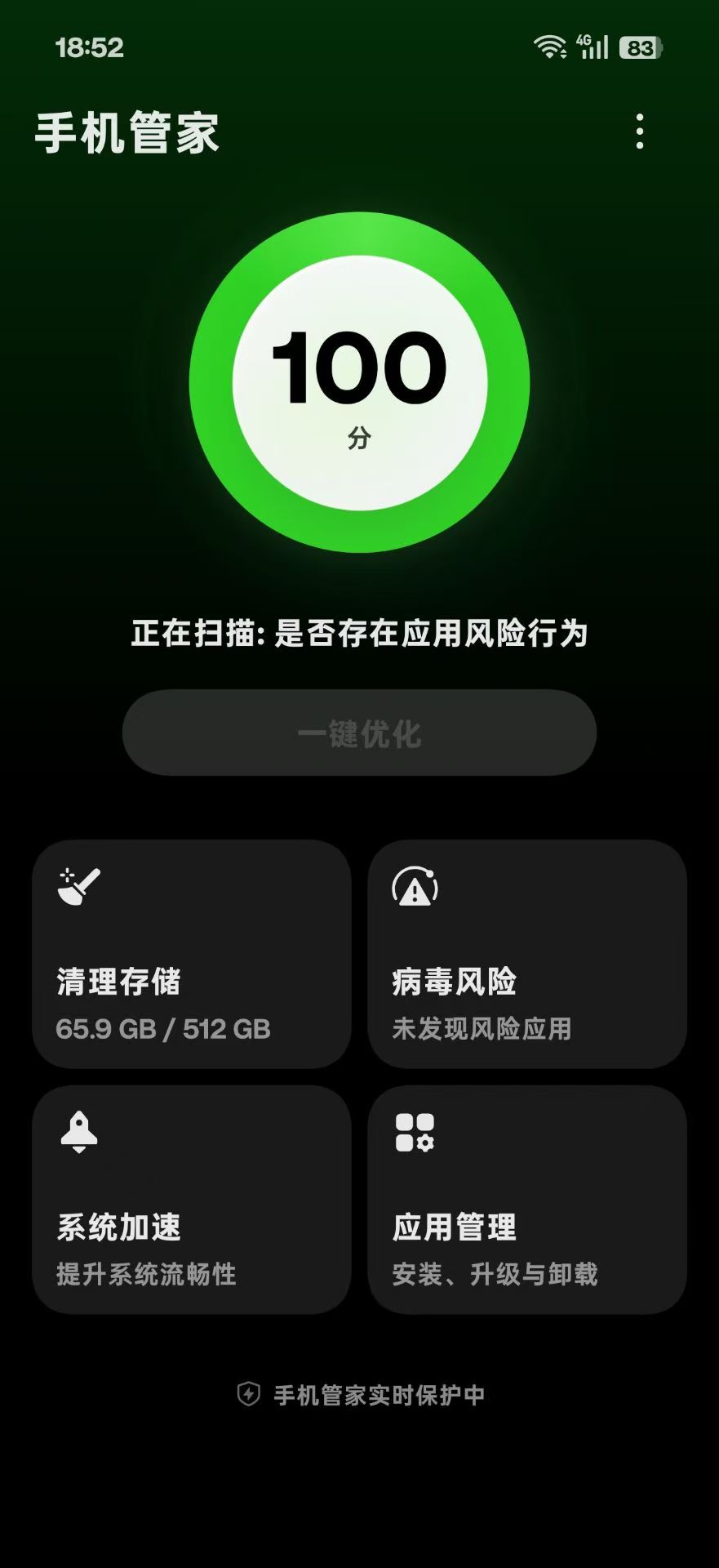
1. Open Phone Manager, tap "Virus & risks"
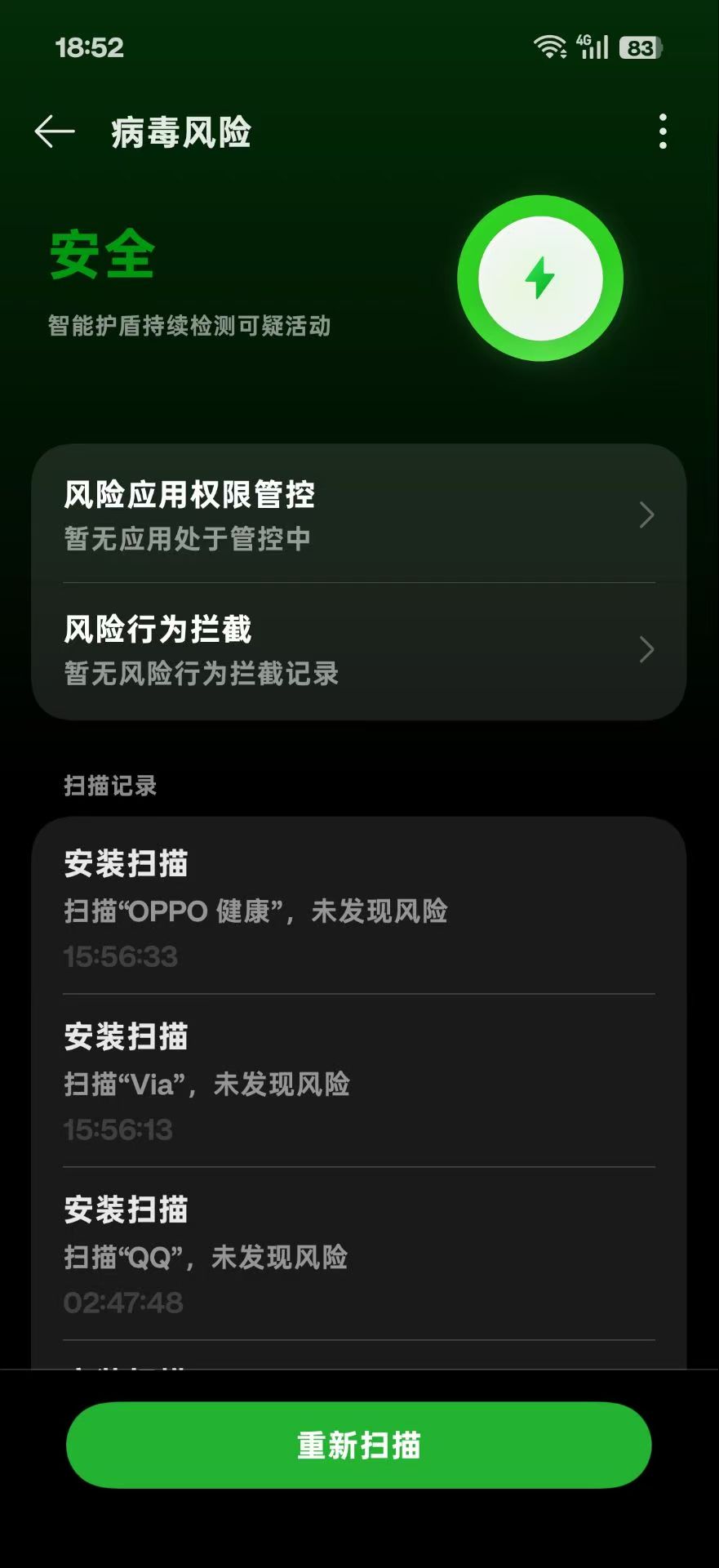
2. Tap "Risky behavior interception"
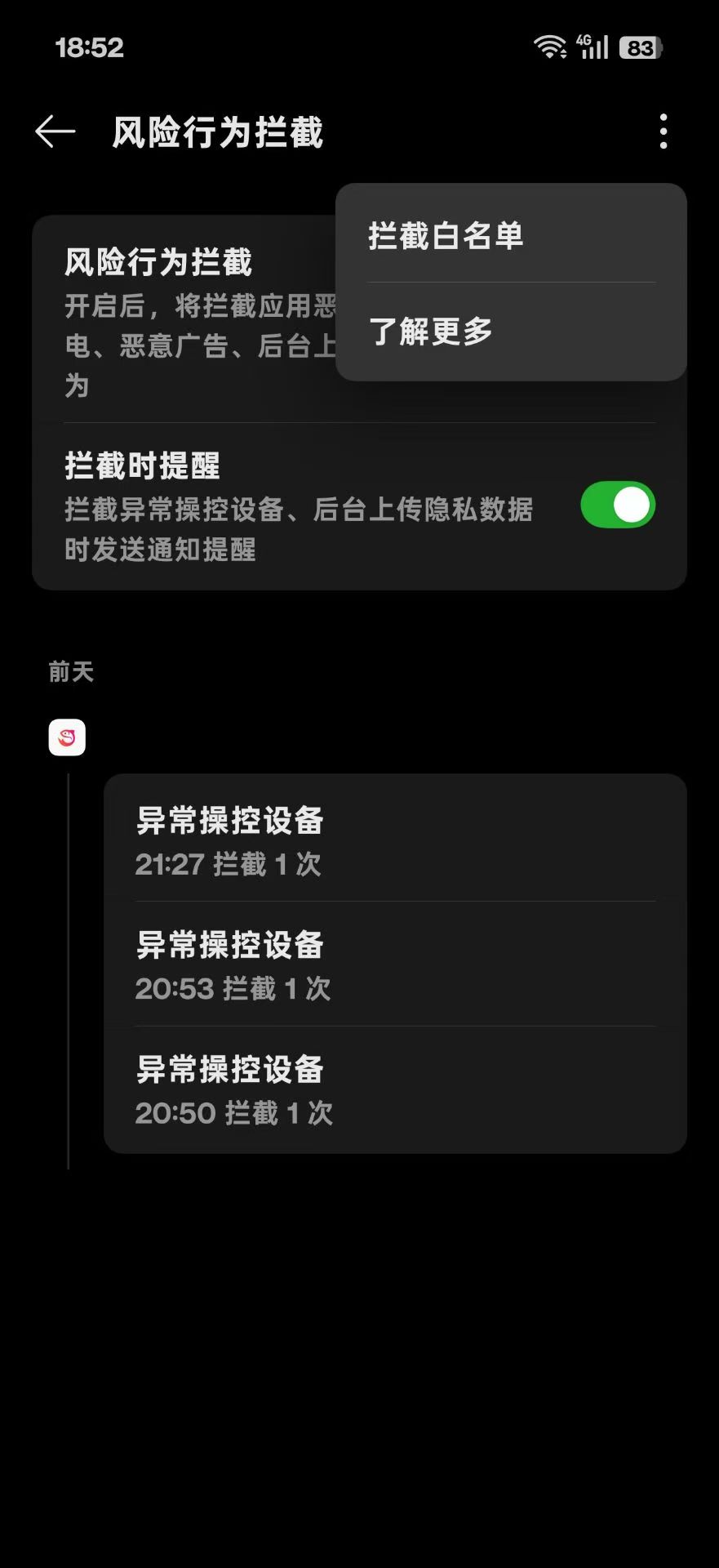
3. Tap top-right menu and select "Interception whitelist"
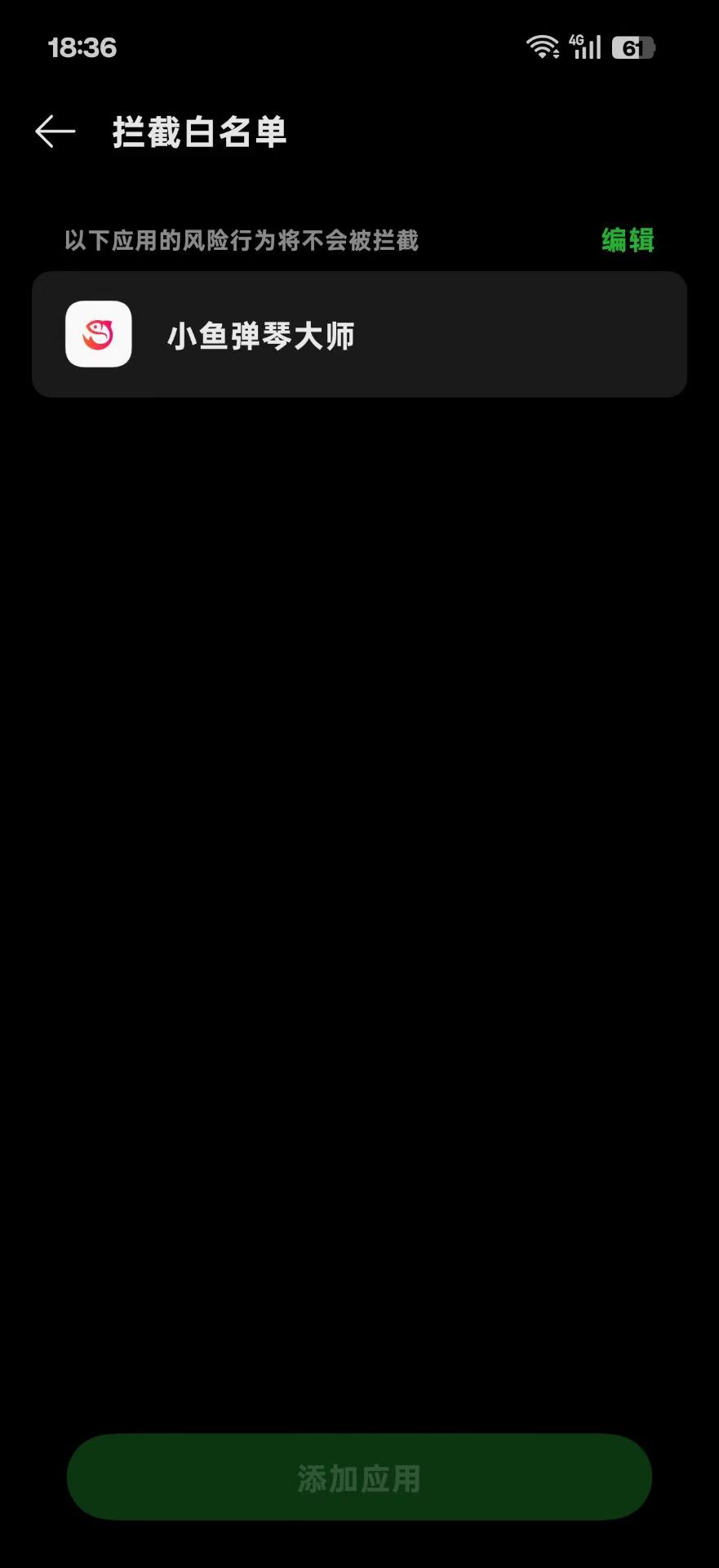
4. Tap "Add app" and add Finelo to whitelist
Note
After adding the app to the whitelist, restart the Finelo floating window and start playing in your game.