
AI Transcription and Score Recognition
Powered by deep learning and audio/image recognition algorithms, Little Fish Piano Master supports converting various common digital scores, image scores, audio recordings, and performance videos into playable and exportable piano sheets directly in the app.
Read the guide and tutorials below to learn about the recommended format rankings and review standard sample representations.
Supported Formats & Performance Ranking
To achieve the highest transcription accuracy, we recommend choosing formats higher in the ranking:
MIDI Format (T0) > Staff Sheet (T1) > Jianpu Sheet (T2) > MP3 Audio (T3) > MP4 Video (T4)
Accuracy Tier Breakdown
| Tier | Format | Recommendation / Accuracy | Principle | Key Advantages | Notes & Limitations |
|---|---|---|---|---|---|
| T0 Best | MIDI (.mid, .midi) | ★★★★★ (~100%) | Digital note event parsing | Lossless conversion with exact pitch, BPM tempo, duration, and key positions; virtually zero error | Single-track or standard dual-track piano MIDI files work best; avoid excessive control signals |
| T1 Great | Staff Sheet (.png, .jpg, .pdf) | ★★★★★ (~95%+) | Optical Music Recognition (OMR) | Standardized international notation; precise spatial note coordinates, clefs, and key signatures | Ensure flat paper, even lighting without shadows, and avoid tilt or reflections |
| T2 Good | Jianpu Sheet (.png, .jpg, .pdf) | ★★★★☆ (~85%~90%) | Numbered musical symbol pattern recognition | Highly popular in Asia; excellent for standard vocal and solo melodies | Handwritten scores or crowded lyrics may cause occasional octave dot misdetections; printed versions are best |
| T3 Fair | MP3 Audio (.mp3, .wav) | ★★★☆☆ (~75%~85%) | Automatic Music Transcription (AMT) acoustic separation | Transcribes directly from listening without needing any physical sheet | Solo piano / dry acoustic piano works best; background accompaniment, vocals, drums, or heavy reverb can cause overtone errors |
| T4 Reference | MP4 Video (.mp4) | ★★☆☆☆ (~65%~80%) | Video audio track extraction + visual key assistance | Directly converts screen recordings or performance videos | Affected by video compression and ambient background noise; best as a fallback when no sheets or pure audio are available |
Sample Assets Display
Using the public-domain classic "Twinkle, Twinkle, Little Star" as a standardized benchmark, we have organized 5 different format samples. You can review the score previews or listen to/play the media directly:
Format: .mid / Standard solo piano MIDI
Technical Features: Contains standard C Major 4/4 digital notes, tempo (BPM: 100), and timestamps. Lossless zero-error conversion directly into piano sheets.
· Tone Channel: Acoustic Grand Piano
· Tempo & Meter: 100 BPM / 4/4 time
· Note Stream: Pure digital note events (C4-C4-G4-G4-A4-A4-G4... free from acoustic noise)
Format: .png / Lossless high-res image
Technical Features: Standard treble clef grand staff sheet music. Clefs, key signature, noteheads, and bar lines are sharp, flat, and shadow-free.
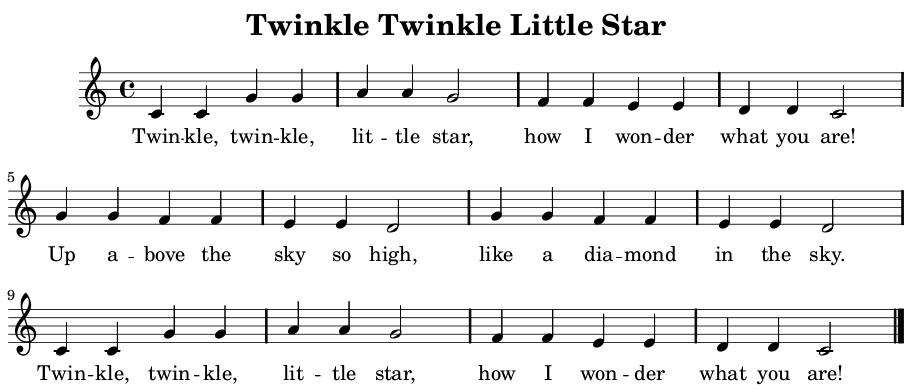
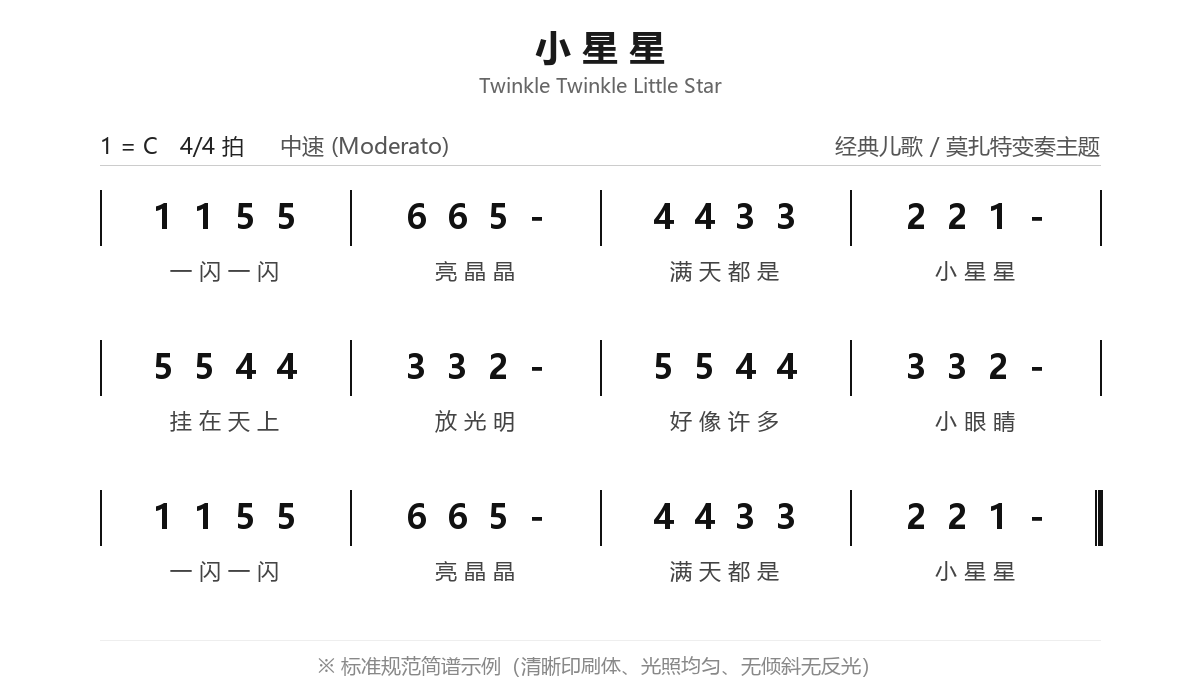
Format: .png / Printed numbered musical score
Technical Features: Standard 1=C 4/4 printed typography with clear bar lines, rhythm bars, and aligned lyrics under uniform lighting.
Format: .mp3 / Pure instrumental audio (24s)
Technical Features: Clean, unmixed solo piano melody without background noise or vocals; ideal benchmark for acoustic music transcription.
Format: .mp4 / Live piano recording video (15s)
Technical Features: Features piano keystroke visuals and live room acoustics; tests audio-visual transcription under mild ambient noise.
Tips for Maximizing Transcription Accuracy
To get the best possible transcription results, follow these guidelines when preparing your materials:
- Format Priority: Always prefer MIDI when available. If you have physical or digital sheets, choose staff or numbered notation before turning to noisy audio or videos.
- Photography Tips for Sheet Music:
- Keep Flat: Flatten sheet music to prevent distorted staff lines caused by page curves.
- Shoot Overhead: Hold your camera directly parallel to the page to avoid angle distortion.
- Even Lighting: Capture in bright, uniform light; avoid casting shadows from your body or phone, and prevent lamp glares.
- Sharp Focus: Keep text and lines crisp, avoiding motion blur.
- Audio & Video Selection:
- Pure Instrument: Solo piano recordings yield much higher accuracy than tracks with percussion, electric guitars, or orchestral backing.
- Avoid Vocals: Singing voices can be mistaken for melodic piano notes.
- Reduce Room Reverb & Noise: Keep the recording device close to the piano sound source to minimize room echo and background noise.
Feature Entry
Sign in to your account, then follow the steps below from the Me page.
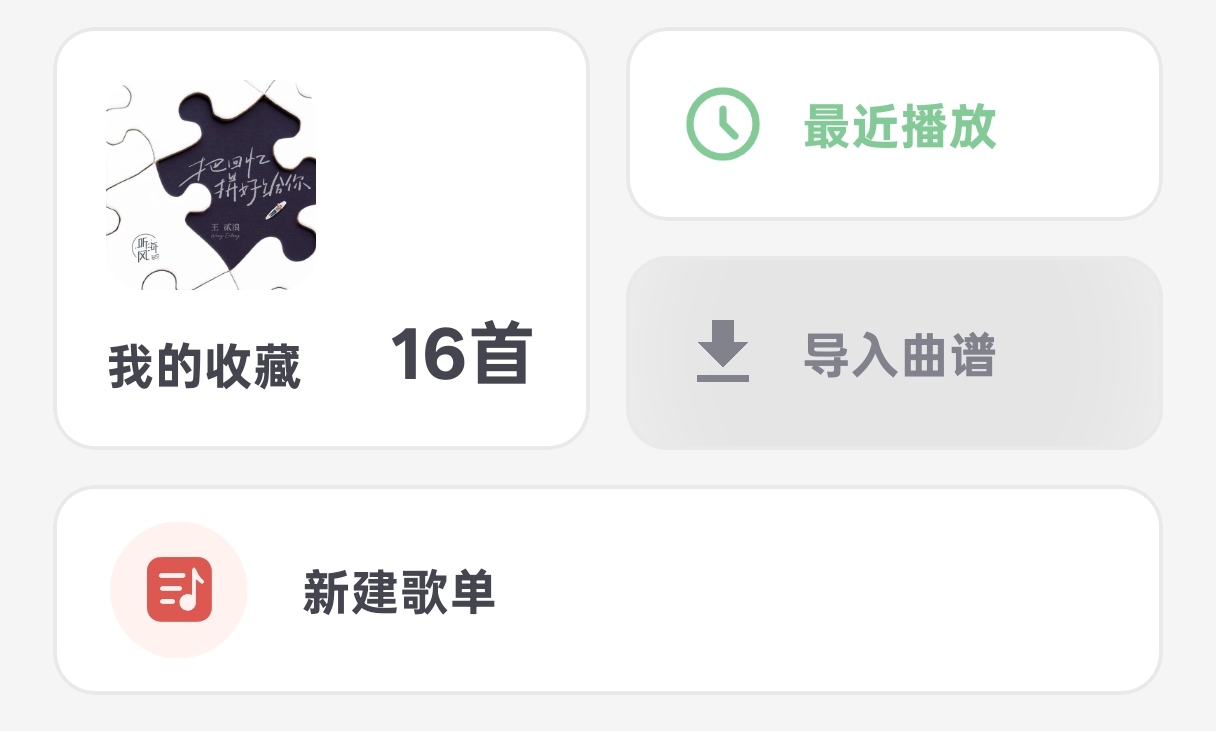
Tap Import score
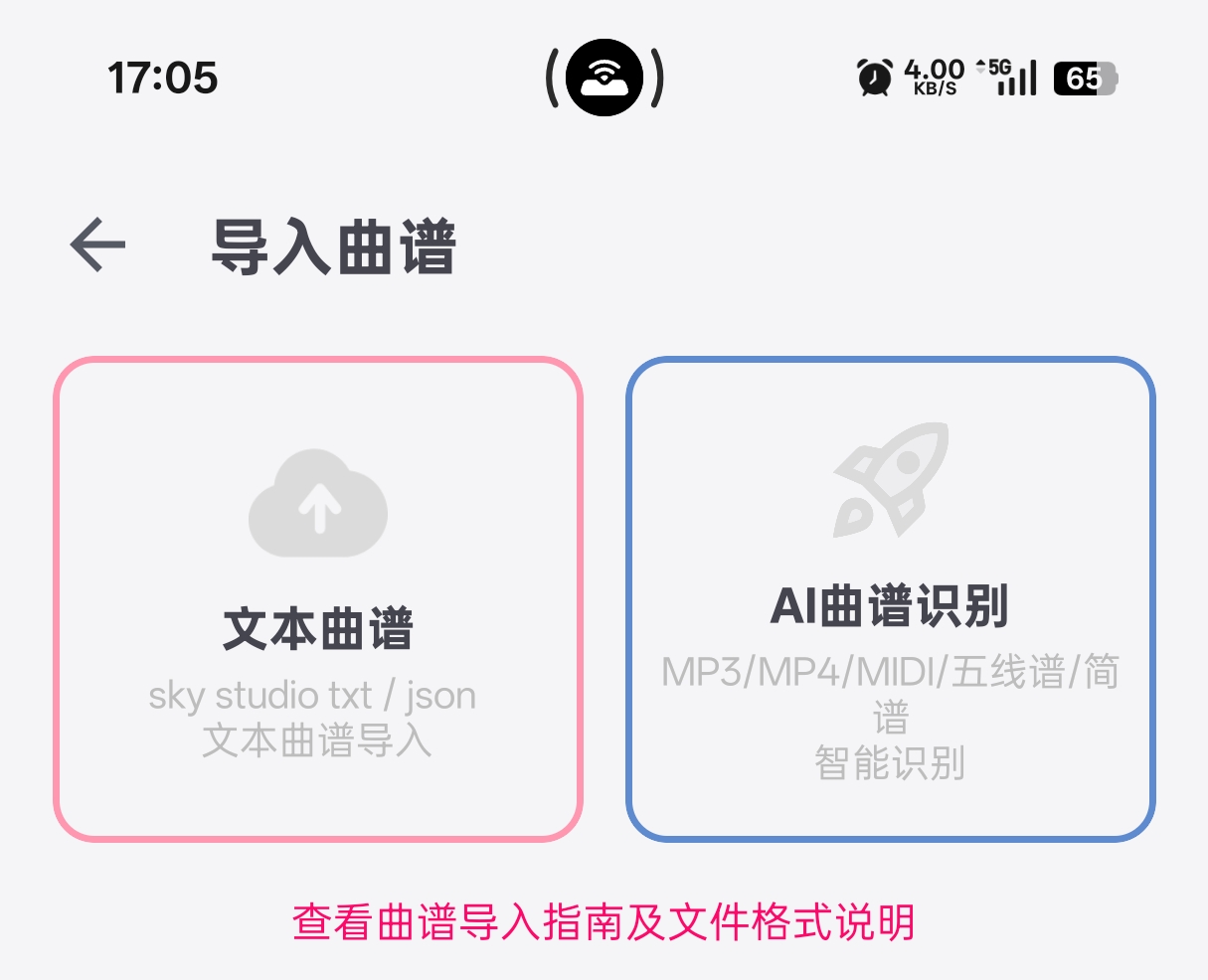
Tap AI score recognition
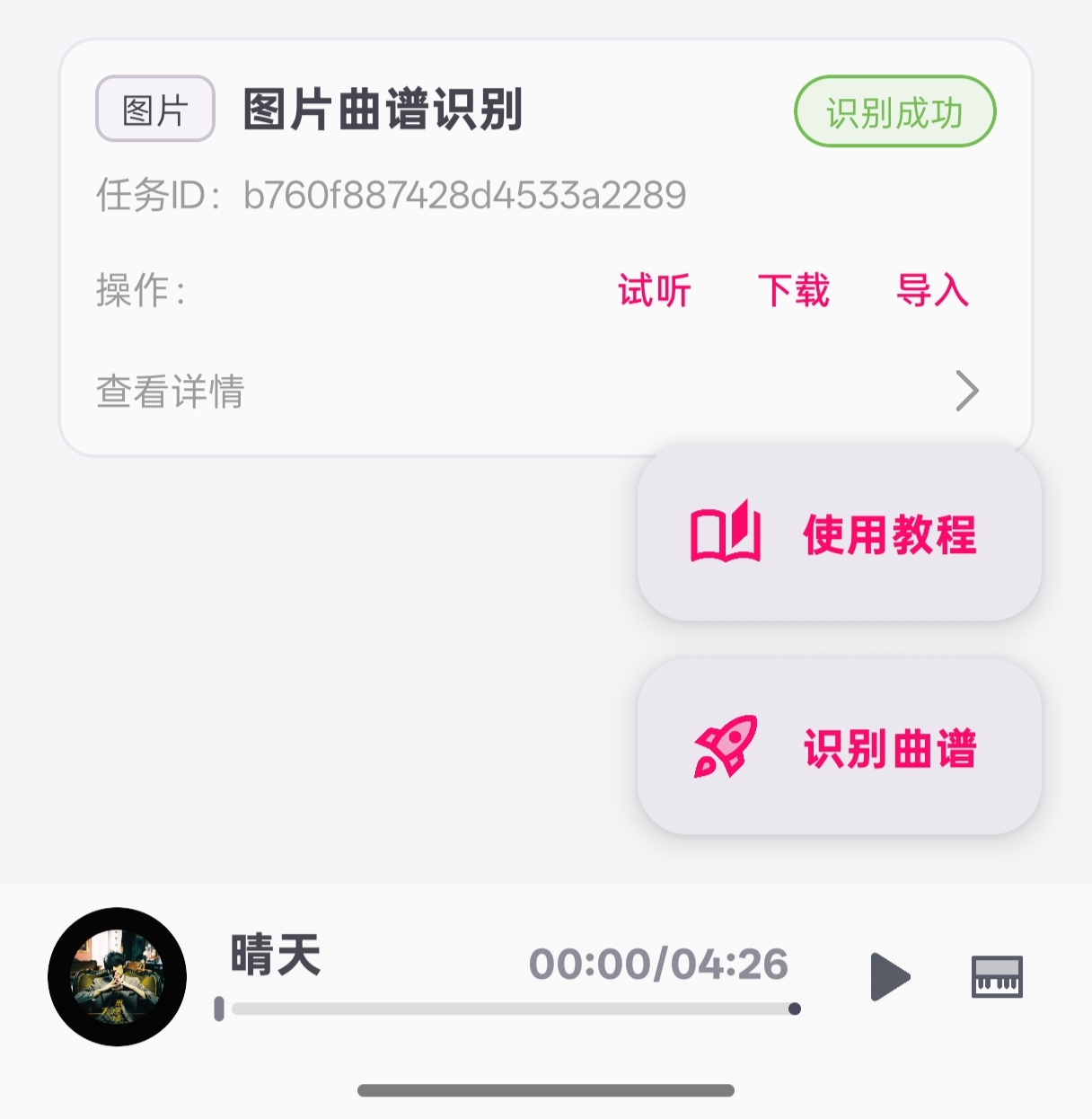
Tap Recognize score