
Restricted Accessibility Permission Settings
Some systems do not allow apps installed from sources outside trusted app stores to enable accessibility permission directly.
How to Allow Restricted Settings
- Long-press the Finelo app icon on the home screen.
- Tap App info.
- Open Allow restricted settings.
Note: The entry may be in a different place on some devices.
Examples for ColorOS and MIUI
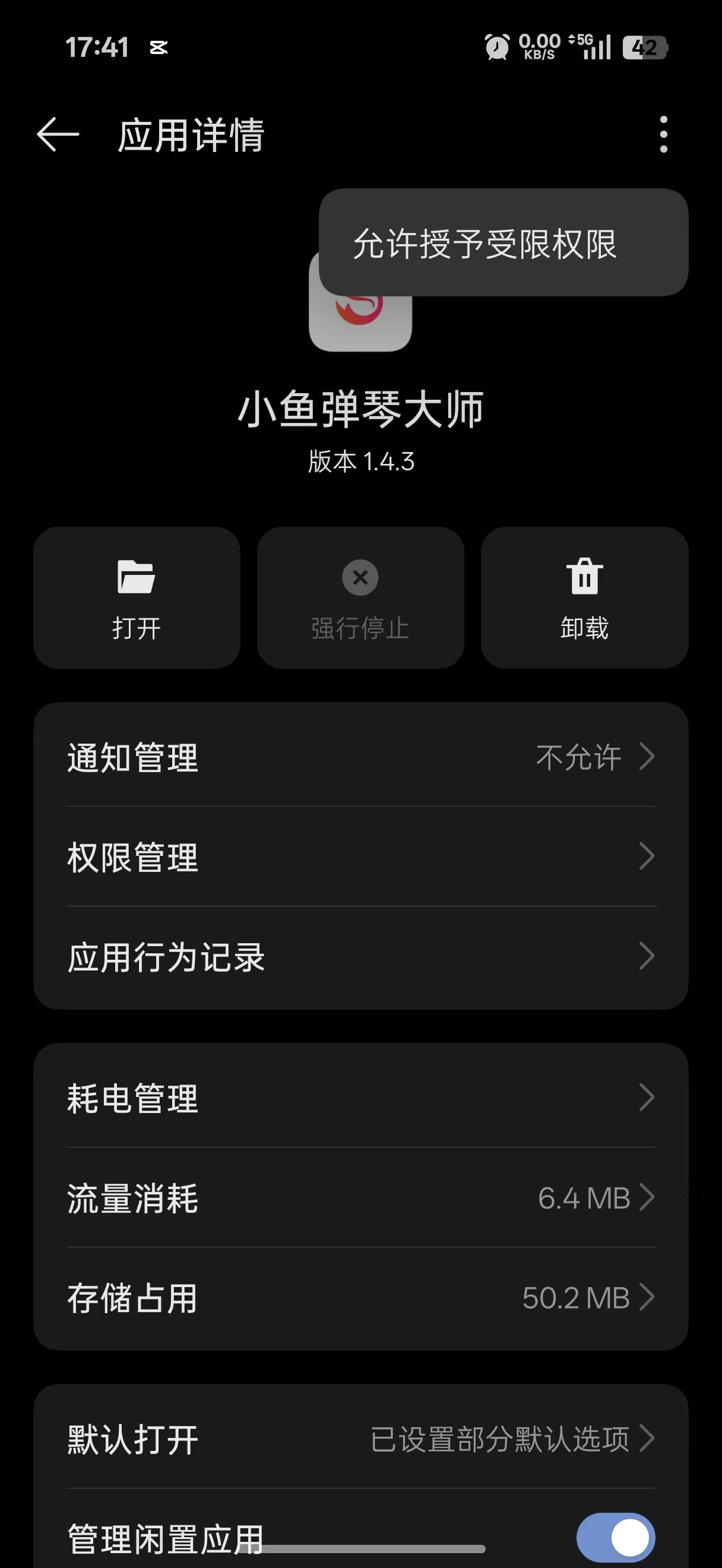
ColorOS
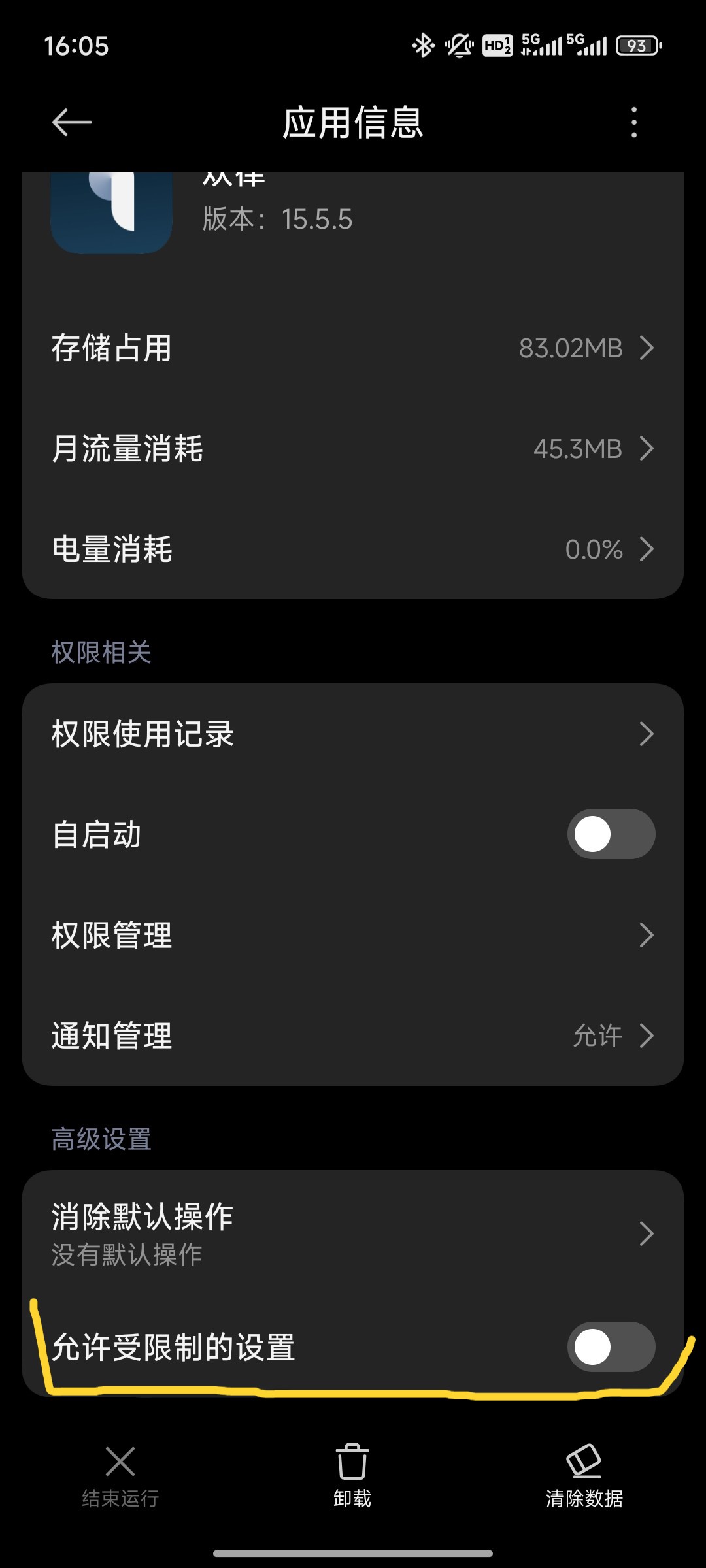
MIUI
Tip: If the accessibility list is still unavailable after following these steps,
search by your device brandfor restricted accessibility settings.